Kitchen display, kitchen and bar tickets
Fired items show on the kitchen screen to be bumped as they go out, and print on the kitchen printer — online orders included. Drinks can print at the bar instead.
 EnAffaire
for Restaurants
EnAffaire
for Restaurants
Ring up the counter or the bar, or run the floor: seats, per-table service timers, split checks, discounts and comps with a manager’s OK, the cash drawer, GST/HST receipts, the kitchen display and kitchen tickets. Orders from your own online ordering page land on the same till — with no commission taken on any of them. The restaurant POS system underneath is RKP POS.

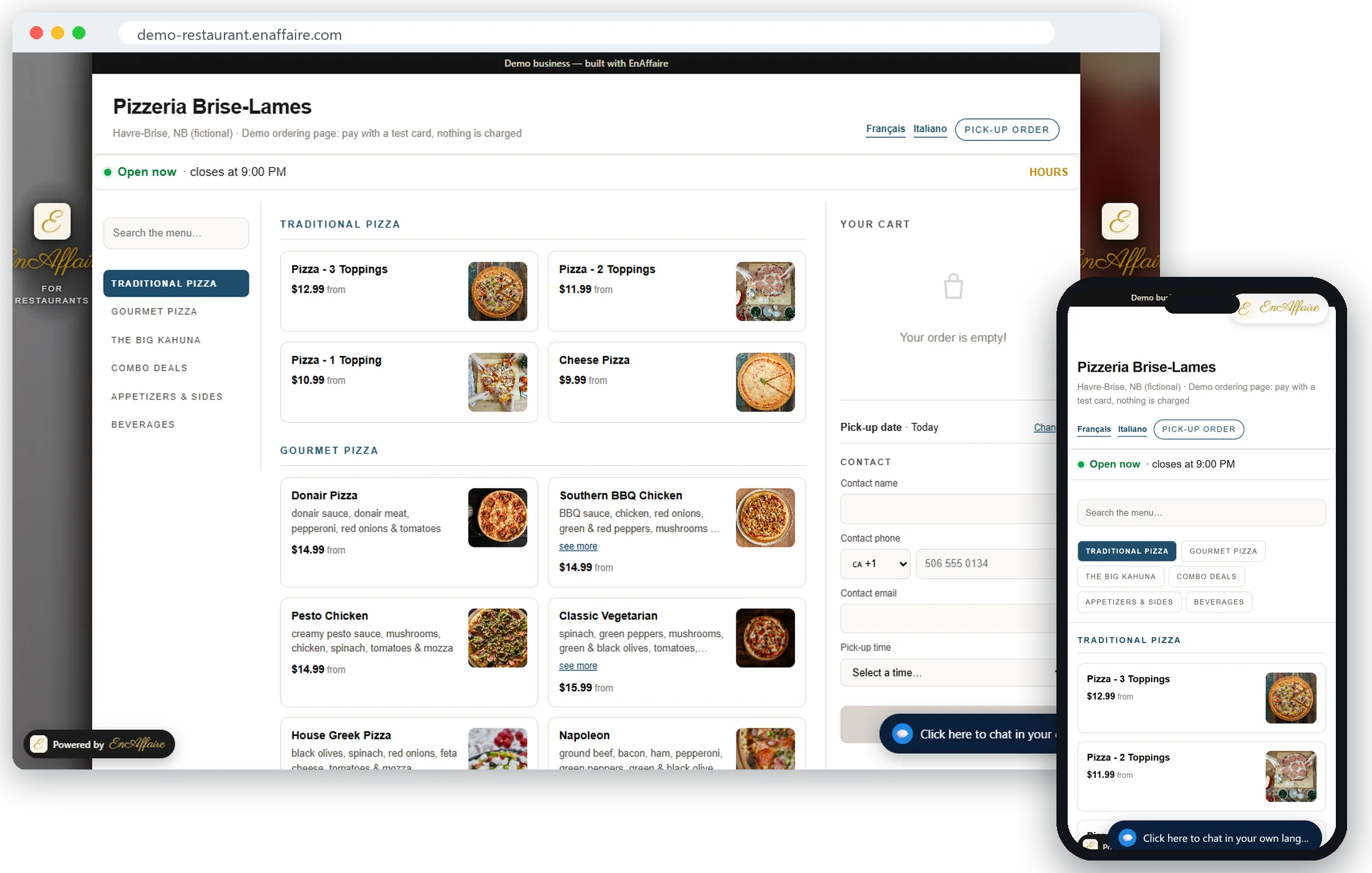 See it live: try the demo →
Pizzeria Brise-Lames is a fictional pizzeria running on EnAffaire. Build an order with sizes and toppings, and pay with a test card.
Built and tested on real restaurant till hardware in Atlantic Canada. Take cards on the card terminal you already have — the till records each payment against the check.
One setting in the back office decides which one your till opens on. Shared seating you don’t assign — a food hall, a common dining area — counts as counter.
Takeout, pizzerias, cafés, bars, food courts
Dining rooms and bars with tables you seat and serve
Captured from the EnAffaire till. Tap any screen to see it full size.
Screens captured from the EnAffaire POS running a demonstration restaurant. Northwind Kitchen, its menu, its staff and its GST/HST number are fictional; prices, taxes and totals are computed by the software.
Fired items show on the kitchen screen to be bumped as they go out, and print on the kitchen printer — online orders included. Drinks can print at the bar instead.
The drawer opens on a cash sale and a cash refund. Opening it without a sale takes a reason, and the till keeps a record of every open.
Every receipt carries your GST/HST registration number.
Each person signs in with their own PIN. Discounts and comps need a reason and a manager’s OK, and are applied before tax.
Orders from your EnAffaire ordering page arrive on the till and go straight to the kitchen — no second tablet on the counter.
Sales reports, and end-of-shift X and Z reports with a cash count.
Written here, supported here, in your time zone. When a terminal misbehaves in the middle of a Friday dinner rush, you are talking to the people who built the software — not a ticket queue several time zones away.
A cash register rings up sales and holds the cash. The EnAffaire till does that too — and runs the rest of your restaurant or bar from the same screen.
Online ordering on its own, or the POS priced by how you serve, because a dining room genuinely takes more to run than a counter. Online ordering is included in every plan.
Cloud-based: no till, no POS hardware
$49.99 CAD/moTakeout, pizzerias, cafés, food courts, shared seating
$59.99 CAD/moDining rooms with tables you seat and serve
$89.99 CAD/moPlus tax. Card processing is charged by your own payment processor, at your own rate.
Our offline guarantee (Counter and Table Service): if a sale rung on the till while your internet was down is ever lost, that month is free. We measure it ourselves, from our own logs, every month. How we measure it.
Competitor pricing as publicly listed: Lightspeed on 22 September 2026 (Canadian dollars, as published), Toast and ChowNow on 13 September 2026. Toast and ChowNow publish in US dollars; the Canadian figures are converted at the Bank of Canada rate for 11 September 2026, US$1.00 = C$1.3866. Plans and rates change — confirm current pricing with each company.
Included in every plan
Photograph your printed menu and your ordering page comes back built — every size, every topping, every combo read straight off the page, no typing modifiers in by hand. Orders from it land on your till and in your kitchen.
Pepperoni is $1.99 on a 9″, $2.99 on a 12″, $3.99 on a 16″ — one menu item, one topping list, three prices. No splitting the same menu into near-identical topping groups.
Edits land on a draft, not on your live menu. Preview it, compare it with what is published, then publish when it is right — no half-finished price change going out at the dinner rush.
Send us your menu — a photo, a PDF, or a CSV — and we will build your order page on the real EnAffaire storefront so you can see it before you decide anything. No account, no card.
Zio’s Pizza in Moncton is built out end to end — the full menu, the size-aware topping prices and the combos. Open it and price a 16″ the way a customer would.
Open the Zio’s menuTake the Online Ordering Only plan: it runs on its own, beside the till you already use, and orders print on a dedicated kitchen printer, so the two systems never fight over a ticket. Tell us how you run and we will tell you straight which setup fits.
A POS does everything a cash register does — the cash drawer, receipts and ringing up sales — plus menu management, reporting and card payments. On EnAffaire, sales and X and Z reports close out each shift, and every card payment is recorded against its check, on the card terminal and processor you already have.
Use your own processor, or let RKP set you up, with local Atlantic support. It’s an option, never a requirement.
Tell us what you serve and how you serve it. We will tell you straight whether this fits. No card at this step.
Online ordering near you: Moncton · Dieppe · Saint John · Miramichi · Amherst · Kentville · Windsor